Buying brand new smartphone is considered as tricky task when you are not having sufficient knowledge about the tech features, availability of brands, price and their handsets. In a present world plenty of smartphone are…
In this modern world, everyone is living with the full of high tech devices and equipments like computers and smart phone devices. Whenever you are considering the past 15 years, everyone has only cell phones…
Hey guys, just recently I realized that the hibernate button on the start menu is gone. Although I don’t know how that happened and it`s also hard to tell if even Microsoft knows how…
Very easy my friends, because today Google+ introduced the ignore feature. It is still not launched officially,but here is how it is going to work. It will appear in the notifications in the Google +…
Don`t you hate it when you see all the open tabs on your PC, especially in Chrome? Well, there is finally a solution, the Evernote extension for Google Chrome. It is a great alternative for…
Well you just bought yourself a new notebook with nvidia graphic card and you found out that the driver on the manufacturer’s support/download page (asus, acer, sony, msi, hp..) hasn’t been updated for some time and now you can’t run your newly bought game for your powerful notebook graphic card (gt 460m, gt 540m, gt 550m or gt 550m ..) or your graphic card performance is compromised. Out of desperation you go to the nvidia support page hoping to find the latest nvidia driver for your notebook. You download it and snap! There’s the error: “NVIDIA Installer cannot continue” – “This graphics driver could not find compatible graphic hardware”.
Nvidia Installer cannot continue
Don’t worry there is always a way with drivers, that is if you search long enough :) If you have changed a few notebook generations with nvida mobility graphic card through the years, you already know that nvidia doesn’t care particularly about updating their mobility drivers for specific manufacturers which is kind of frustrating. In fact I don’t know if there was a notebook ever built which the official nvidia mobility drivers do support. I’ll show you how to modify the nvidia mobility drivers to make them support your specific hardware. I have done this the easiest way possible for my Asus K53SV and it worked perfectly. It should work for other manufacturers as well, at least it’s worth a try :) .
* If for any reason you cannot do the steps below (lazyness doesn’t count :P ) please just write your notebook model and the Hardware ID from the first step of this guide and I will do my best to modify the driver for you.
In a hard times like these, when we, The Facebook addicts are so misunderstood,this new option may be a good way to prove someone wrong. Maybe not. OK, first let me introduce the long waited…
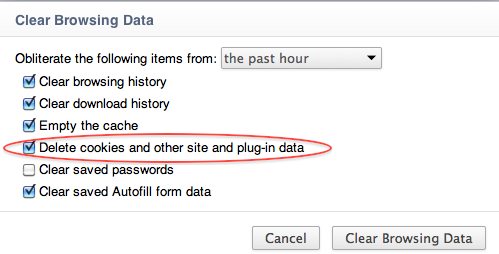
About a year ago, Google bundled Adobe Flash with the Chrome Web browser in order to make it more secure for their Chrome users. When someone wanted to clear Flash Local Shared Objects or the…